
NEW
Aurora Jetpack – FiveM Jetpack Script with Hover & Jet Modes
$35.00
An open-source jetpack script for FiveM: use it as an item, sell it as owned (database, Tebex, VIP) or give it to jobs. Folding wings, hover and jet modes, blue thrusters.
- ✓ Instant digital download
- ✓ Works on QBCore, ESX & standalone
- ✓ Optimized & FPS-friendly
- ✓ Lifetime updates + Discord support
1
Aurora Jetpack – FiveM Jetpack Script with Hover & Jet Modes
$35.00
1
Instantdelivery
Securecheckout
Lifetimeupdates
We acceptVisaMCAmexPayPalAppleGPay
Showcase video
About the Aurora Jetpack
The Aurora Jetpack is a jetpack script for FiveM by Goodara. Players use the jetpack item to put it on, press F, and the Aurora pack on their back unfolds its wings and lifts off. Q switches between a hover mode for moving around slowly and a jet mode that flies like a plane: like the Hydra, it goes from hover to flight in about one second. Every player on the server sees the pack and its thruster plumes and hears its sounds.
What's inside
- Aurora pack – an original jetpack model, modelled from scratch, with wings that unfold on take-off and fold on landing
- Nozzles – they swivel with the way the pilot moves
- Thruster plumes – blue jet plumes that grow with thrust, and a blue light on the surroundings
- Hand grips – shown in the pilot's hands while flying
- Animations – smooth hover, flight and bank animations
- Custom sounds – hover and flight loops that crossfade with speed, ignition, shutdown, wings unfolding and folding, and the mode switch. They play in 3D for nearby players, and the volume is configurable.
- Multiplayer – every player sees everyone's pack, wings, plumes and grips and hears their sounds. The sync uses state bags and is rate limited, so it is light on the network.
Open source: every file is plain, readable Lua. Nothing is escrowed or encrypted, so you can change anything for your server.
Works as an inventory item
- Ready out of the box – the script detects your framework and inventory and makes the
jetpackitem usable by itself. Use it to put the jetpack on, use it again to take it off. - Frameworks – ESX, QBCore and Qbox
- Inventories – ox_inventory, qs-inventory (Quasar), qb-inventory, ps-inventory, lj-inventory, codem-inventory, core_inventory, tgiann-inventory, origen_inventory, ak47_inventory and other inventories that use ESX or QBCore usable items
- Item picture included – a transparent PNG of the Aurora pack in 512, 256 and 100 px, plus a ready-made item entry for each inventory in the README
- Lose the item, lose the jetpack – when the item leaves the inventory (dropped, given away, sold, stolen or confiscated) the jetpack comes off. A flying player lands safely first. You can switch this off.
- Sell it in a shop, hand it out as a job item or a reward, like any other item
Many ways to hand it out
- Inventory item – lose the item and lose the jetpack, or keep it switched on only
- Owned forever – saved per player in your database (oxmysql) or a file, and used anywhere with
/jetpack - Webstore and VIP – sell it on Tebex with a package command (
jetpack_give {id}), or give it to a VIP or staff group by ACE permission - In-game shop –
/buyjetpackfor a price you set, paid from bank or cash (ESX, QBCore, Qbox) - Jobs – e.g. a police air unit from a chosen grade
- Everyone – one switch for freeroam or event servers
Flight rules you can switch on
- Battery – a flight time per charge; an empty battery lands the pilot safely, and it recharges on the ground
- No-fly zones – e.g. the prison or the military base; pilots are forced to land and can't take off inside
Controls
- Use the item – put the jetpack on or take it off
- F – take off and land (the key is configurable)
- Q – switch between hover mode and jet mode
- Hover mode – W/S forward and back along the camera, A/D strafe, Space/Ctrl up and down
- Jet mode – W thrust, Shift boost, S air brake, the mouse steers (bank-to-turn), A/D rudder
Good to know
- No framework? Use ownership, ACE groups or the everyone switch with the
/jetpackcommand. - Other resources can use the server exports
SetJetpack,HasJetpack,UseItem,GrantJetpack,RevokeJetpackandOwnsJetpack.
Compatibility & install
Works with ESX, QBCore, Qbox or standalone, and needs ox_lib. Unzip, drop the goodara_jetpack folder into resources and add ensure goodara_jetpack to your server.cfg on a line below ensure ox_lib. Add the jetpack item to your inventory (the README has the entry for each one) and copy the included item picture into its images folder, then restart the server. The download includes a README with the same steps. Instant download after checkout, with lifetime re-downloads and Discord support.
More scripts will be listed under FiveM scripts.
Aurora Jetpack specs
- Category
- Script
- Resource name
- goodara_jetpack
- Format
- Streamable resource
- Frameworks
- QBCore · ESX · Standalone
- Delivery
- Instant download
- Updates
- Lifetime, free
Install steps
Runs on QBCore, ESX and standalone FiveM servers.
- Download and unzip the resource from your account library.
- Drop the resource folder into your server's
resourcesdirectory. - Add
ensure goodara_jetpackto yourserver.cfg. - Restart the server (or run
refreshthenensure). - Load in and try it out. Stuck? Our Discord support is 24/7.
Aurora Jetpack: questions & answers
Does the Aurora Jetpack work on QBCore and ESX?
Yes. It works on ESX, QBCore and standalone servers, as described on this page.
How do I get the Aurora Jetpack after buying it?
It is an instant digital download. Right after checkout you get an email with your download link, and the file is added to your account library.
Can I get a refund on the Aurora Jetpack?
Digital downloads are generally final sale. We review refund requests within 14 days of purchase if the file is corrupted or fails to download, the product is materially not as described, or you were charged more than once.
Customer reviews
No reviews yet. Every review here comes from a verified purchase — buyers get a review link by email a few days after their order.
YOU MAY ALSO LIKE ›
See all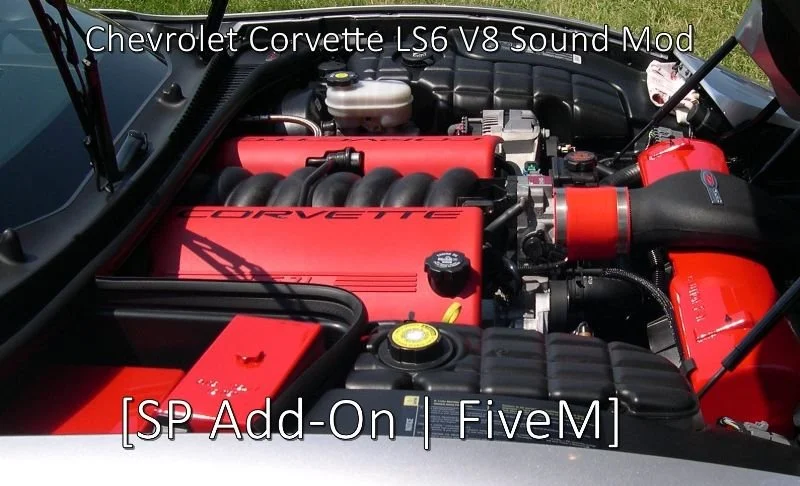
Chevrolet Corvette LS6 V8 Engine Sound (FiveM)
$4.99$8.49SAVE 41%


Mercedes-AMG One PU106C V6 Engine Sound (FiveM)
$6.99$11.99SAVE 42%